

Most contractors don't lose jobs on the worksite. They lose them in the phone tag, the back-and-forth emails, and the half-finished paperwork that piles up before a single nail is driven. Understanding why small contractors need intake forms starts with a simple reality: 94% of contractors report that delays are caused by process problems, not the actual work requirements. That's a fixable problem. Intake forms give you a structured, repeatable way to collect everything you need from a client before you ever pick up a tool, and they protect your time, your margins, and your sanity.
Table of Contents
- How process inefficiencies delay project starts and waste time
- Why capturing complete client data at intake matters for small contractors
- From sticky notes to structured pipelines: organizing leads efficiently
- Designing intake forms that prevent scope creep and fee disputes
- Using automation to streamline contractor intake and onboarding
- Why many small contractors underestimate the power of well-designed intake forms
- How SnapQualify can simplify your client intake and screening process
- Frequently asked questions
Key Takeaways
| Point | Details |
|---|---|
| Process delays cost time | Most site access delays happen because of inefficient processes, not the requirements themselves. |
| Complete data upfront | Capturing about 16 specific client data points upfront lets projects start without wasting time. |
| Simple lead pipelines work | Small contractors benefit from a three-stage lead tracking system instead of complex CRM tools. |
| Structured forms prevent disputes | Intake forms with clear, required fields for fees and scope reduce costly client disagreements. |
| Automation boosts efficiency | Conditional logic in intake forms automates onboarding and cuts administrative work. |
How process inefficiencies delay project starts and waste time
Every contractor has lived this scenario. You get a promising call, spend 30 minutes talking through a project, send over a quote, and then spend the next two weeks chasing down insurance certificates, property addresses, and budget confirmations. Work hasn't started yet. You're already in the hole on time.
Process bottlenecks are the hidden tax on your business. According to a 2026 contractor compliance study, 35% of contractors have been delayed two to three times on a single project due to process issues alone, specifically waiting for results and approvals. These aren't delays caused by weather or material shortages. They come from missing information that should have been collected on day one.
35% of contractors report experiencing two to three process-related delays per project before work even begins.
The cycle looks familiar if you're running a small operation:
- Client submits a vague request with no budget range or timeline
- You schedule a site visit, spend fuel and two hours getting there
- You discover the scope is completely different from what you were told
- You go back to requote, and by now the client has called three other contractors
- If they do hire you, the paperwork still isn't complete and work starts late
This is where understanding the contractor intake form vs Google form distinction becomes important. A generic contact form collects a name and an email. A proper intake form collects the information that actually moves a project forward. The difference between the two isn't cosmetic. It's the difference between organized and chaotic.
Incomplete or incorrect paperwork forces rework. And rework is unpaid work. Every hour you spend re-emailing a client for a missing detail is an hour you're not billing. For a small operation with limited admin staff, that adds up fast.

Why capturing complete client data at intake matters for small contractors
Think about what you actually need to start a project without delays: contact details, property information, project scope, budget, timeline, existing permits or HOA restrictions, preferred billing method, and any prior work done on the property. That's not an exhaustive list, but you can already see that a two-line contact form won't cut it.
Research from the legal services industry offers a striking data point that applies directly to how intake forms improve workflow for any service business. Capturing 16 essential fields at intake allows work to begin immediately, while capturing only 6 to 8 fields typically results in two to three hours of follow-up per project. Two to three hours. Per project. Multiply that by the number of jobs you run in a month.
Here's what a well-designed intake form captures that a phone call or basic contact page usually misses:
- Project address and access details (who has keys, gate codes, HOA contact)
- Budget range and payment preferences (deposit expectations, milestone payments, lump sum)
- Scope description in the client's own words (revealing misunderstandings before they become disputes)
- Timeline flexibility and hard deadlines
- Prior contractor history (especially important for identifying clients who have fired multiple contractors)
- Decision-maker confirmation (is the person filling out the form the one who signs the check?)
Structured fields prevent ambiguity. When you ask a client to select from a dropdown that says "$5,000 to $10,000," "$10,000 to $25,000," or "$25,000+," you get a real answer. When you ask an open-ended budget question in a phone call, you often get "whatever it takes" or an unrealistic number.
Identifying client red flags early is much easier when the intake data is right in front of you in a structured format. Fee and scope disputes also shrink significantly when both parties have agreed to written terms before work begins, which is why the intake process is your first line of defense against the clients you need to avoid altogether.
| Intake approach | Follow-up time needed | Start delay risk | Scope clarity |
|---|---|---|---|
| No formal intake | High (3+ hours/project) | Very high | Poor |
| Basic contact form | Moderate (1-2 hours) | High | Limited |
| Structured intake form (16+ fields) | Minimal | Low | Strong |
Pro Tip: Add a field that asks clients to describe, in two to three sentences, what a successful project looks like to them. This single question surfaces unrealistic expectations before you're on the hook for them.
From sticky notes to structured pipelines: organizing leads efficiently
If you're handling five or fewer inquiries a month, a spreadsheet or even a legal pad can work. But growth breaks informal systems fast. Informal lead management holds up to about five inquiries per month but starts to fail at twenty or more, when leads start slipping through the cracks and follow-ups get missed.
You don't need expensive CRM software to fix this. You need a simple, consistent process. Here's a three-stage pipeline that any contractor can implement immediately:
- New: Lead submitted intake form. Awaiting review.
- Contacted: You've reviewed the intake, flagged them as qualified, and reached out to schedule a site visit or consultation.
- Converted: Proposal accepted, deposit received, project added to your schedule.
Every lead lives in exactly one of those three buckets. Nothing falls through the cracks because nothing is ambiguous.
Intake forms make this pipeline work. When a lead fills out your form, they automatically enter Stage 1 with all their data attached. You're not trying to remember who called about what. You have a record.
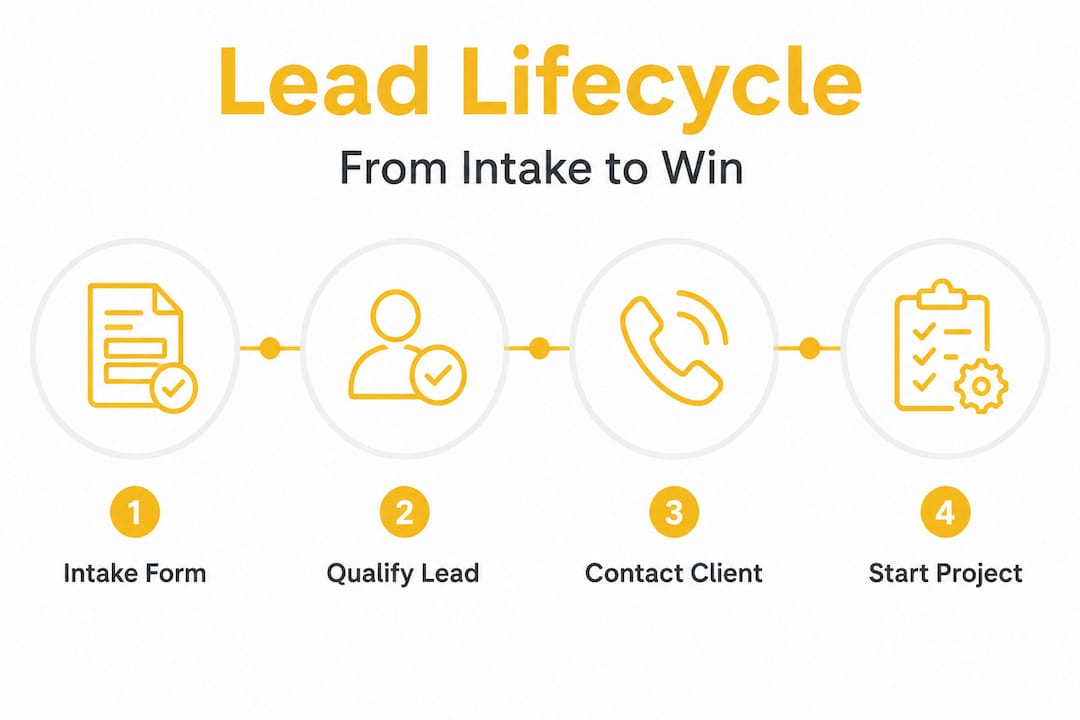
Here's what informal vs. structured lead management actually looks like in practice:
| Factor | Informal system | Structured pipeline with intake |
|---|---|---|
| Lead follow-up | Inconsistent, memory-based | Triggered by stage movement |
| Data completeness | Varies per lead | Standardized across all leads |
| Conversion tracking | Difficult to measure | Clear and reviewable |
| Time to first contact | Often delayed | Immediate upon form submission |
If you're serious about qualifying inbound leads before spending time on a site visit, this structure is the foundation. It also helps you stop wasting quote visits on prospects who were never a fit to begin with.
Designing intake forms that prevent scope creep and fee disputes
Scope creep, where a project grows quietly beyond its original agreement, is one of the most common ways small contractors lose money. It almost always starts with a vague initial conversation and no written record of what was agreed.
Fee disputes are the leading cause of grievances against small service firms, and they typically originate from unclear fee expectations set at the very beginning of the client relationship. By the time the argument starts, both sides are frustrated and both sides believe they're right.
Your intake form is where you prevent this. Here's how to design it with that goal in mind:
- Use dropdowns and checkboxes instead of open text fields wherever possible. "What type of roofing material?" should have five options, not a blank line.
- Include billing structure questions explicitly. Ask whether the client expects a single invoice, milestone payments, or a draw schedule. Put it in writing from day one.
- Define what is NOT included. A field that asks "Are you aware that the quoted price covers X but excludes Y?" sounds blunt. It protects you.
- Enforce required fields. If budget range is not completed, the form doesn't submit. No exceptions.
- Add a scope limitation acknowledgment. A simple checkbox that reads "I understand this quote covers the scope described above and that changes will require a written change order" sets expectations clearly.
"Tightening workflow and upfront clarity reduces cycle time and rework without lowering compliance standards."
Knowing how to prevent scope creep starts well before the contract is signed. And setting clear fee expectations through your intake form is the most underused tool in a contractor's business arsenal.
Pro Tip: Frame your intake form questions from the client's perspective. Instead of "Budget range," try "How much have you set aside for this project?" Clients answer more honestly when the question feels conversational.
Using automation to streamline contractor intake and onboarding
Once a client completes your intake form, what happens next should require as little manual effort from you as possible. That's where automation changes the game.
Conditional logic in automated intake allows you to bundle only the relevant documents based on what a client submitted. A residential repaint client doesn't need the same insurance and compliance paperwork as a commercial tenant improvement project. When your system knows the difference, you stop sending irrelevant documents and reviewing forms that don't apply.
Here's what an automated intake workflow can do for you:
- Automatically send a tailored welcome email based on project type
- Generate an NDA or pre-contract agreement pre-filled with client details
- Route the lead to the right team member or subcontractor based on scope
- Trigger a scheduling link only after the intake is complete and reviewed
- Flag incomplete or high-risk submissions for manual review before any time is invested
Integrating intake forms with your project management system means the handoff from "inquiry" to "active job" is a single click instead of a data re-entry session. That alone saves meaningful time every week.
Pro Tip: Review how your current intake process compares to a purpose-built form by reading up on intake form automation techniques. The gap between what a basic form does and what an automated intake system does is bigger than most contractors expect.
Why many small contractors underestimate the power of well-designed intake forms
Here's the uncomfortable truth: most contractors treat intake as a formality. A box to check before the real work starts. That mindset is expensive.
When you treat intake as a quick step to get through rather than a critical business function, you're setting every subsequent stage of the project up for friction. Incomplete data at intake becomes scope confusion in week two. Vague fee agreements at intake become payment arguments at project close. These aren't coincidences. They're consequences.
The contractors who run profitable, low-stress operations share a common habit: they formalize their intake process and take it seriously. Formalizing intake shifts contractors from reactive data gathering to proactive management, cutting scope creep and administrative delays in ways that directly improve profitability.
What changes when you take intake seriously? Everything upstream of the actual work becomes predictable. You know what's coming. You've read the client's own words about their budget and timeline. You've already spotted the red flags, or confirmed there aren't any. You schedule based on real information, not assumptions.
The argument we hear most often against structured intake is "my clients don't want to fill out a form." That's partly true for the clients who aren't serious. And that's the point. A client who won't spend five minutes answering questions about their own project is a client who will waste five hours of your time later. The intake form isn't just collecting data. It's qualifying intent.
Understanding the importance of formal intake forms isn't about adding more steps to your process. It's about replacing the chaotic, informal steps you're already taking with ones that actually work.
How SnapQualify can simplify your client intake and screening process
You've seen why structured intake forms matter and what they protect you from. Now the question is how to implement them without building everything from scratch or fighting with generic form tools that weren't designed for contractors.
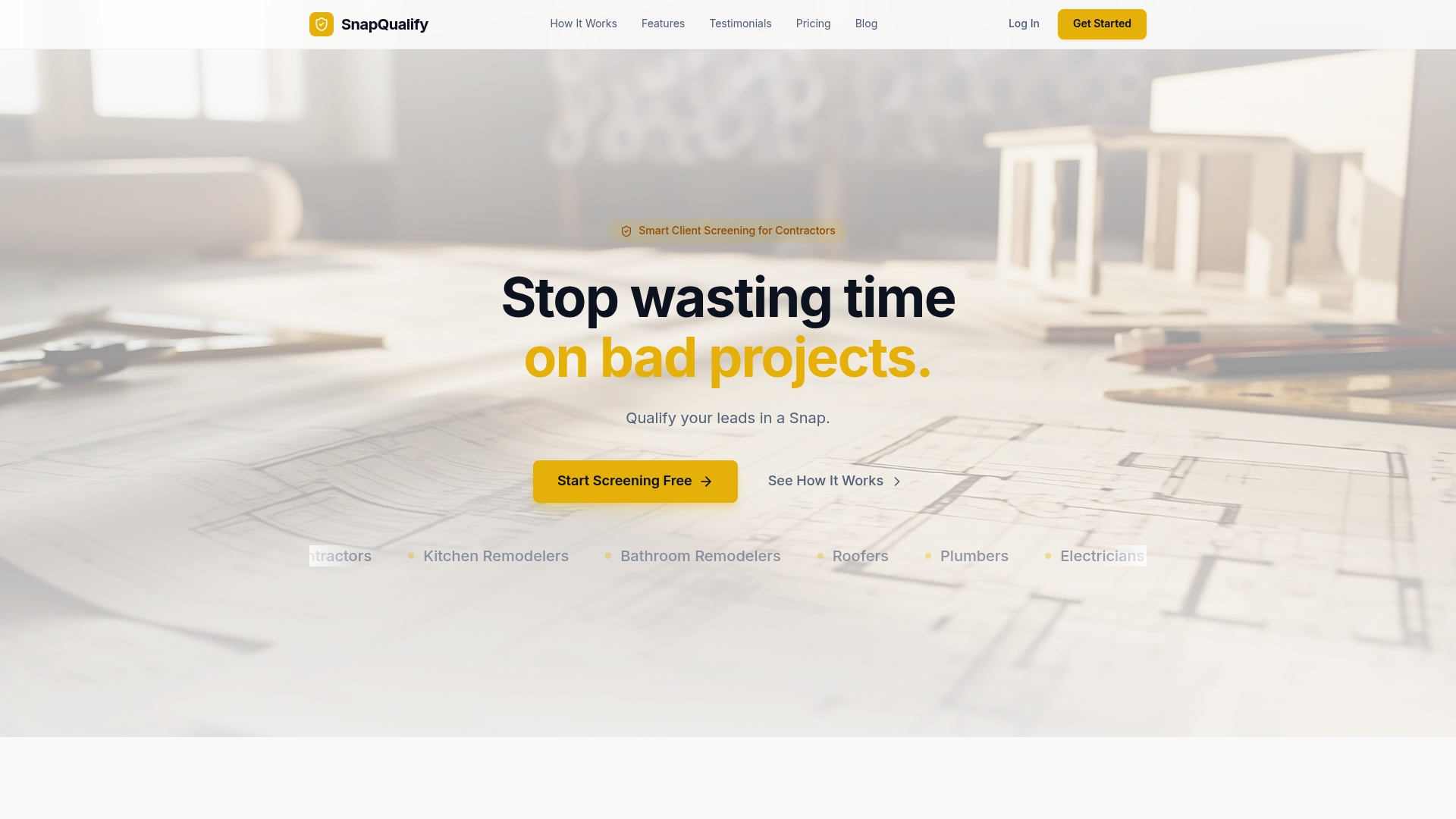
SnapQualify is built specifically for trade contractors and small construction businesses. It gives you branded intake forms designed to screen clients before you invest time in a site visit or proposal. Clients answer targeted questions about their project scope, budget, timeline, and prior contractor experience. The platform analyzes those responses and generates a color-coded SnapScore that tells you, at a glance, whether a lead is worth pursuing. No chasing incomplete information. No guessing. Just clear signals, fast. Your client data is handled with full attention to privacy and protection, and you can review SnapQualify's security standards to see exactly how your information is kept safe.
Frequently asked questions
What are intake forms and why are they important for small contractors?
Intake forms are structured documents that collect essential information like project scope, budget, and contacts upfront, helping small contractors avoid delays caused by missing data and unclear expectations before work begins.
How many data points should a small contractor capture in an intake form?
Capturing about 16 essential fields ensures you have everything needed to start work on day one. Fewer than 8 fields typically results in two to three hours of follow-up per project.
Can small contractors manage leads without complex CRM systems?
Yes. A simple three-stage pipeline (New, Contacted, Converted) embedded in your intake process gives you full visibility into your leads without expensive software.
How do intake forms reduce fee disputes for contractors?
By capturing billing structure, scope limitations, and fee expectations through structured intake fields, you set clear terms in writing before any work begins, which removes the ambiguity that leads to payment disputes.
What role does automation play in contractor intake forms?
Automation uses conditional logic to bundle documents based on the client's project type, cutting paperwork review time and speeding up onboarding without extra manual effort.