

A contractor intake form is a structured questionnaire that collects essential client and project information before you commit time, labor, or materials to any job. When you create a contractor intake form with the right fields, you filter out problem clients, satisfy IRS documentation requirements, and walk onto every job site knowing exactly what you are getting into. Tools like SnapQualify have made this process faster and smarter for trade contractors, but the foundation is always the same: ask the right questions, collect the right documents, and protect your business before the first nail goes in.
What essential information must be included in a contractor intake form
Industry standards require six core data areas for any thorough contractor onboarding form: company information, insurance, safety records, financial health, licensing, and experience with references. Skipping even one of these areas creates a gap that can cost you money, time, or legal standing.
Here is a breakdown of every field category you need and why it matters:
| Field category | Specific fields to collect | Purpose |
|---|---|---|
| Company and personal info | Legal name, EIN, business address, contact details | Tax reporting, identity verification |
| Tax compliance | W-9 form, 1099-NEC eligibility | IRS compliance, payment reporting |
| Licensing and credentials | Trade license numbers, state certifications, expiration dates | Legal authorization to perform work |
| Insurance documentation | COI with carrier name, policy number, coverage limits | Risk management, liability protection |
| Project scope and logistics | Scope description, site address, timeline, budget range | Project planning, scope control |
| References and experience | Past project types, client references, years in trade | Qualification and reliability check |
The IRS requires you to keep W-9 forms on file for at least four years, and you must use Form 1099-NEC to report payments of $600 or more to any independent contractor during the tax year. That means your intake form is not just a convenience. It is the start of your compliance paper trail.
On the project side, capturing site specs and visual documentation reduces miscommunication about scope and aesthetic expectations. For home service providers especially, including image upload fields for existing conditions or reference photos prevents the "that's not what I meant" conversation after work is done.
An Independent Contractor Agreement should be collected or triggered through your intake process as well. A legally reviewed ICA is your primary protection against misclassification claims and work product disputes. Without it, a single disagreement can turn into a costly legal problem.
How to design your contractor intake form for real-world use
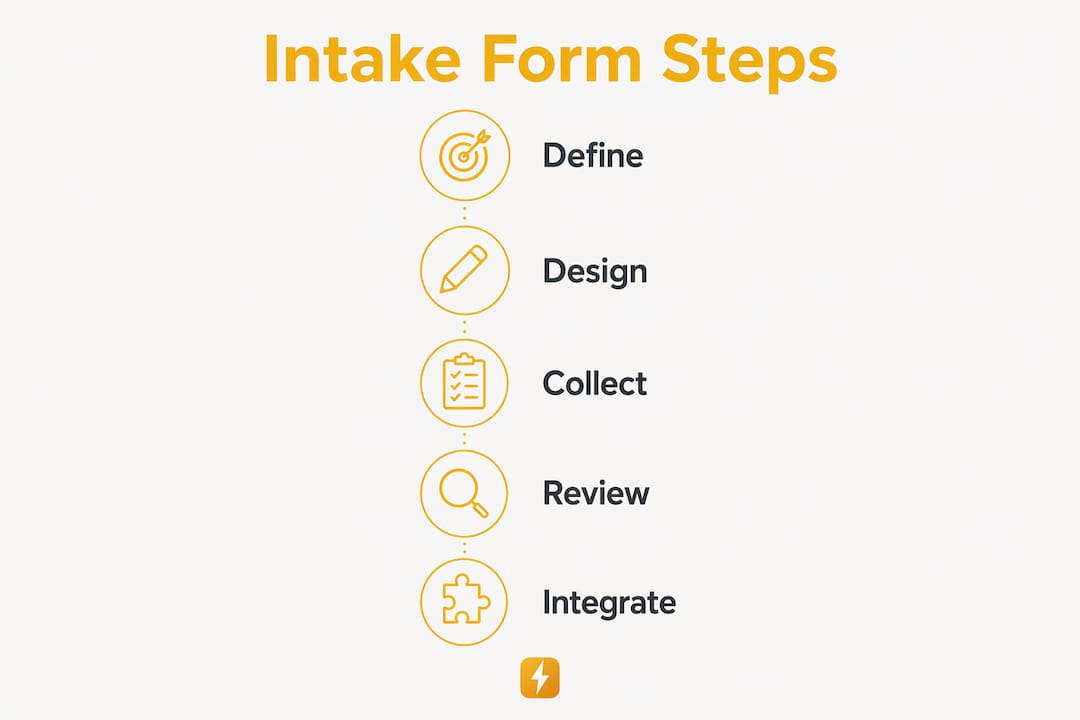
The structure of your form determines whether clients complete it or abandon it halfway through. Organize your questions into logical sections: start with contact and company details, move to project specifics, then request documents like insurance certificates and licenses at the end. Front-loading document requests causes friction before the client is invested.

Pro Tip: Keep your form under 15 fields for initial qualification. Collect only what you need to decide whether to move forward. You can gather deeper project details in a follow-up call or site visit.
When choosing a platform, your options range from paper forms to general-purpose builders to purpose-built contractor tools. Here is how the main options compare:
| Tool type | Best for | Key limitation |
|---|---|---|
| Paper forms | Simple, low-volume jobs | No automation, easy to lose |
| Google Forms | Free, fast setup | No scoring, no compliance tracking |
| Typeform / JotForm | Polished UX, conditional logic | Generic, not contractor-specific |
| SnapQualify | Trade contractor qualification | Built for screening, not general forms |
Every field must serve a clear purpose to avoid form fatigue and poor-quality data. If you cannot explain in one sentence why you are asking a question, remove it. Vague or redundant questions signal unprofessionalism and reduce completion rates.
For scheduling integration, link your form confirmation to a calendar tool like Calendly or Google Calendar. This cuts the back-and-forth that typically follows a form submission and gets you to a site visit or discovery call faster. If you want to see how a purpose-built option compares to a generic builder, the intake form vs. Google Form breakdown is worth reading before you decide.
Best practices and common mistakes when creating contractor forms
The most common mistake contractors make is treating their intake form as a one-time setup. Forms need to be reviewed at least twice a year because insurance policies expire, license requirements change by state, and your project mix evolves. A form built for residential painting jobs will miss critical fields if you start taking on commercial work.
Follow these best practices to keep your contractor application template effective and compliant:
- Verify insurance specifics, not just certificates. COI verification must include carrier name and policy number because a certificate can be outdated the moment it is printed. Requesting a COI without those details gives you false confidence.
- Ask targeted reference questions. Asking references about project timing and budget adherence yields more useful information than generic "would you recommend them" questions.
- Mandate structured invoicing details. Structured invoicing with registration numbers and tax details creates an audit trail and closes compliance gaps that informal payment methods leave open.
- Add a privacy statement. Clients are more likely to share accurate financial and insurance information when they know how it will be used and stored.
- Standardize your process. Failing to standardize documentation leads to avoidable delays and fines. A consistent contractor onboarding form removes the guesswork from every new client relationship.
Pro Tip: Create separate form versions for different project types: one for residential remodels, one for commercial work, one for subcontractor onboarding. Tailored questions produce better data than a single catch-all form.
For subcontractor onboarding specifically, a safety onboarding checklist paired with your intake form covers the compliance bases that general forms miss, particularly for job sites with OSHA exposure.
How to implement and evaluate your intake form after launch
Building the form is only half the job. Getting it in front of clients and measuring its performance is where most contractors fall short. Follow these steps after you publish your form:
- Distribute through multiple channels. Embed the form on your website, include the link in your email signature, and send it directly to new leads before your first call. The easier it is to find, the higher your completion rate.
- Track submission completeness. Monitor which fields clients skip most often. Frequent skips signal either a confusing question or one that feels invasive. Rewrite or remove it.
- Use the data to qualify before you quote. Review budget range, project timeline, and scope details before committing to a site visit. This is the core value of the form: it filters out jobs that are wrong for your business before you spend fuel getting there.
- Troubleshoot incomplete submissions. Set up an automated follow-up email that triggers when a form is submitted with missing required fields. Most clients will complete it if you make the next step clear.
- Iterate every quarter. Add fields that reflect new questions you find yourself asking on every call. Remove fields that never inform your decisions. Your form should get sharper over time, not stay static.
Understanding why intake forms help small contractors win comes down to this: the contractors who qualify clients upfront spend less time on jobs that go sideways and more time on work that pays well and runs smoothly.
Key takeaways
A well-built contractor intake form is the single most effective tool for qualifying clients, maintaining compliance, and protecting your business before a project starts.
| Point | Details |
|---|---|
| Start with six core data areas | Collect company info, insurance, safety, financials, licensing, and references on every form. |
| W-9 and 1099-NEC are non-negotiable | Keep W-9s on file for four years and report payments of $600 or more via Form 1099-NEC. |
| Verify COI details, not just the certificate | Always collect carrier name and policy number to confirm coverage is current and valid. |
| Design for completion, not comprehensiveness | Limit initial forms to 15 fields or fewer; gather deeper details in follow-up conversations. |
| Review and update forms twice a year | License requirements, insurance limits, and project types change. Your form should keep pace. |
Why intake forms are the most underused tool in contracting
I have reviewed hundreds of contractor workflows, and the pattern is consistent: the contractors who struggle most with scope creep, late payments, and difficult clients are almost always the ones who skip the intake step. They take a call, like the sound of the job, and show up with a crew before they know anything concrete about the client's budget, decision-making process, or past experience with contractors.
The intake form is not paperwork. It is a filter. A roofer who asks about prior roof work, insurance claims, and HOA restrictions before quoting will close fewer bad jobs and far more good ones. An electrician who collects panel age, permit history, and budget range upfront avoids the "I didn't know it would cost that much" conversation at the end of the job.
The contractors I respect most treat their intake form the same way a lender treats a loan application. It is not about distrust. It is about having the information you need to do your best work. If a client refuses to fill out a basic form, that refusal tells you something important before you spend a dollar. You can find a practical framework for spotting those signals early in the client red flags checklist.
Build the form. Use it on every job. Update it when your business changes. That is the whole strategy.
— Colin
How SnapQualify makes contractor intake faster and safer
SnapQualify is built specifically for trade contractors who need more than a generic form builder. The platform lets you create a branded intake form that collects project scope, budget, and client history, then runs that data through AI-driven scoring to generate a color-coded SnapScore. You see at a glance whether a client is a strong fit or a risk before you invest time in a quote.

SnapQualify also handles data security seriously, with built-in protections for the sensitive compliance documents your form collects, including insurance certificates and tax information. For roofers, plumbers, HVAC technicians, painters, and general contractors who want a smarter digital contractor intake solution, SnapQualify removes the guesswork from client qualification. Start screening clients the right way before the next job costs you more than it pays.
FAQ
What is a contractor intake form?
A contractor intake form is a structured questionnaire that collects client contact details, project scope, budget, and compliance documents before work begins. It serves as both a qualification tool and the start of your compliance paper trail.
What documents should a contractor intake form collect?
At minimum, collect a completed W-9, a Certificate of Insurance with carrier and policy details, trade license numbers, and a signed Independent Contractor Agreement. The IRS requires W-9s to be kept on file for at least four years.
How many fields should a contractor intake form have?
Keep your initial form to 15 fields or fewer to reduce form fatigue and improve completion rates. Collect deeper project details in a follow-up call or site visit once the client has passed your initial qualification check.
What is the difference between a contractor intake form and a contractor application template?
A contractor intake form is used to qualify clients before a project starts. A contractor application template is typically used when hiring or onboarding subcontractors. Both share common fields like insurance and licensing, but serve different screening purposes.
How often should I update my contractor intake form?
Review and update your form at least twice a year. License requirements change by state, insurance minimums shift, and your project mix evolves. A form that was accurate 18 months ago may leave critical compliance gaps today.