

A SaaS tool for trades is defined as cloud-based software that contractors and small service businesses access via the internet to manage client qualification, project workflows, and business operations on a subscription basis. The industry term is Software as a Service, commonly shortened to SaaS. For trade contractors, this means no local installation, no large upfront software costs, and access from any device on any job site. Platforms like Snapqualify are built specifically for this audience, applying SaaS delivery to the contractor's most pressing problem: knowing which clients are worth your time before you quote.
What is a SaaS tool for trades, and why does it matter?
A SaaS tool for trades is cloud-based software accessed through a browser or app, replacing the old model of buying and installing software on a single machine. You pay a monthly or annual subscription instead of a large one-time license fee. That shift moves software from a capital expense to an operating expense, which matters for small contractors managing tight cash flow.
The core functions these tools cover fall into three categories: client qualification and lead screening, project and job management, and business operations like invoicing and scheduling. Each category addresses a real pain point. You stop chasing unqualified leads. You track jobs without a whiteboard. You send invoices without a paper trail.
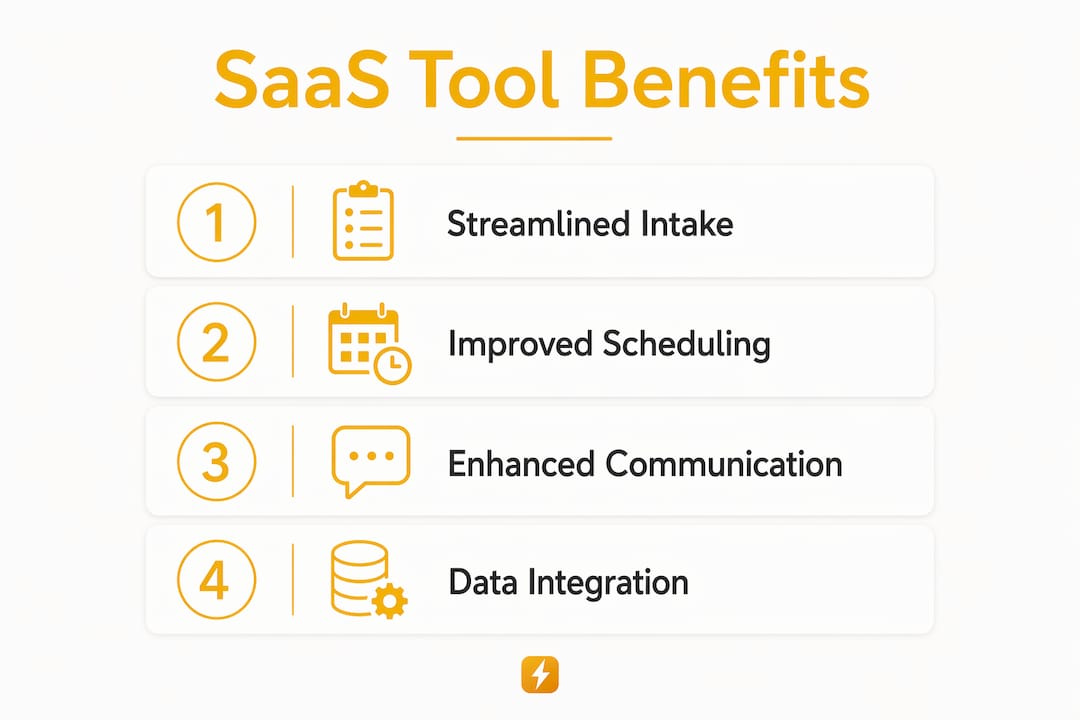
SaaS tools also integrate with each other. A client intake form can feed directly into your CRM. Your scheduling tool can sync with your accounting software. That connected workflow is what separates a well-run trades business from one that runs on sticky notes and memory.
How SaaS tools improve client qualification for trades
Client qualification is the process of evaluating a potential client before you commit time and resources to a quote. SaaS tools automate this process with structured intake forms, AI-driven scoring, and risk analysis. The result is a faster, more consistent screening process that does not depend on your gut feeling alone.
Snapqualify is built around this exact function. Contractors send clients a branded intake form. Clients answer questions about project scope, budget, and prior experience with contractors. Snapqualify's AI and experience-based rules then generate a color-coded SnapScore that signals client reliability and project suitability. You see the risk before you ever pick up the phone.
Key client qualification capabilities you should look for in a SaaS tool include:
- Automated intake forms that collect scope, budget, and timeline data upfront
- AI-driven risk scoring that flags problem signals like vague budgets or unrealistic timelines
- CRM integration so qualified leads flow directly into your pipeline without manual entry
- Branded client-facing forms that look professional and set expectations early
- Audit trails that document client responses for reference during disputes
Pro Tip: Set up your intake form to ask about prior contractor experience. Clients who have fired multiple contractors before you are a documented risk signal, and a good SaaS tool will weight that response in its scoring.
Contractors who use intake forms for qualification report fewer scope creep disputes and fewer late payment situations. The form does the filtering before you invest a single hour.
Project management and workflow features in SaaS tools for trades
Project management SaaS tools give contractors a central place to track every active job, assign tasks, and communicate with crews and clients. The best tools are designed for tradespeople who spend most of their day on site, not at a desk. Mobile access is not optional. It is the baseline requirement.

Integrated workspaces that combine job status, scheduling, and communication in one view reduce the mental load of running multiple jobs at once. You do not need to check three apps to know where your crew is and what the client last said. One screen handles it.
Common project management features in SaaS tools for trades include:
- Job tracking dashboards showing status, assigned crew, and deadlines at a glance
- Scheduling tools with drag-and-drop calendar views for rescheduling around weather or delays
- Automated client notifications that send updates without you writing a single message
- Document storage for contracts, permits, photos, and change orders tied to each job
- Accounting and estimating integrations that pull job costs into invoices automatically
High-performance SaaS tools are designed for out-of-the-box use to avoid over-configuration, with focused onboarding that helps contractors grasp the essentials quickly. That matters because a tool you never fully set up delivers zero value.
Key advantages and what to watch for when choosing SaaS tools
The primary advantage of SaaS for trades is flexibility and scalability. You outsource the infrastructure, the updates, and the compliance overhead to the vendor. Your job is to use the tool, not maintain it. As your business grows, you add users or features without buying new hardware.
Cost is a real factor. Fragmented tool stacks cost independent operators $300–$500 monthly. Integrated SaaS platforms consolidate that functionality and cut setup complexity. That is a meaningful saving for a two-person roofing crew or a solo HVAC technician.
The risks are real too. Vendor lock-in happens when your data lives entirely inside a platform with no easy export option. Security, uptime, and API access are critical evaluation points. A tool that goes down during a busy season costs you more than its monthly fee.
| Attribute | What to look for |
|---|---|
| Security | Data encryption, two-factor authentication, SOC 2 compliance |
| Uptime guarantee | 99.9% or higher with documented SLA |
| Data portability | CSV or API export of all your client and job data |
| Integration options | Connects with QuickBooks, Google Calendar, or your existing CRM |
| Support quality | Live chat or phone support, not just a help center |
Pro Tip: Before signing any SaaS contract, ask the vendor directly: "How do I export all my data if I cancel?" If they cannot answer clearly, that is a red flag.
How to integrate SaaS tools into your trade business workflow
Adopting a new SaaS tool works best when you follow a clear sequence rather than turning everything on at once. Here is a practical approach:
- Audit your current process. Write down every step from first client contact to final invoice. Identify where time is lost or errors happen most often.
- Pick one problem to solve first. Start with client qualification or job tracking, not both. Trying to replace your entire workflow at once leads to confusion and abandonment.
- Set up integrations before going live. Connect your new tool to your CRM or accounting software during setup, not after. Retroactive integration is harder and messier.
- Train your crew with real jobs. Use an actual active project as the training case. Abstract demos do not stick. Real data does.
- Review after 30 days. Check whether the tool is saving time or creating new friction. Adjust settings, remove unused features, and confirm the integration is pulling data correctly.
SaaS implementations can claim a two-week go-live, but actual timelines extend when you factor in data migration and connecting existing systems. Budget four to six weeks for a full, stable rollout.
Key Takeaways
SaaS tools for trades deliver the most value when they address client qualification and project management together, not as separate problems.
| Point | Details |
|---|---|
| SaaS definition for trades | Cloud-based software on a subscription model, accessible from any device without local installation. |
| Client qualification impact | Automated intake forms and AI scoring reduce bad leads before you invest time in a quote. |
| Project management value | Centralized job tracking, scheduling, and client communication reduce errors and missed deadlines. |
| Selection criteria | Evaluate security, uptime, data portability, and integration options before committing to any platform. |
| Implementation approach | Solve one problem first, integrate before going live, and review results after 30 days. |
Why most contractors adopt SaaS tools for the wrong reason
Most contractors I see adopt a new SaaS tool because someone at a trade show told them it would change their business. They sign up, spend a weekend configuring it, and abandon it by week three because it does not fit how they actually work. The tool was not the problem. The sequence was.
The contractors who get real value from SaaS start with a specific pain point. They are tired of quoting clients who disappear after seeing the price. They are losing track of which crew is on which job. They are chasing checks because they never documented scope properly. That specific frustration drives adoption, and specific adoption drives results.
The other mistake I see constantly is treating every SaaS tool as permanent. It is not. Your business changes. A client qualification platform that fits a two-person operation may not fit a 12-person crew. Review your tools annually. Replace what no longer fits without guilt.
The contractors who win with SaaS are not the ones with the most tools. They are the ones who picked the right tool for the right problem and actually used it.
— Colin
Snapqualify helps contractors qualify clients before the first call
Trade contractors lose hours every week on leads that were never going to convert. Snapqualify is a SaaS platform built specifically for contractors who want to stop that waste. You send a branded intake form, the client answers questions about their project, and Snapqualify's AI generates a SnapScore that tells you whether this client is worth your time.
The platform fits roofers, electricians, plumbers, HVAC technicians, painters, and general contractors. It connects with your existing workflow and takes minutes to set up. If you are ready to qualify clients before you quote, start with Snapqualify and see how fast the right tool changes your intake process.
FAQ
What is a SaaS tool for trades?
A SaaS tool for trades is cloud-based software that contractors access via the internet on a subscription basis to manage client qualification, project tracking, and business operations without local installation.
How do SaaS tools help with client qualification?
SaaS tools automate client intake through structured forms and AI scoring, flagging risk signals like vague budgets or unrealistic timelines before you invest time in a quote.
What should I look for when choosing a SaaS tool for my trade business?
Prioritize security, uptime guarantees, data portability, and integration with tools you already use, such as QuickBooks or your existing CRM.
How long does it take to set up a SaaS tool for trades?
Most platforms advertise a two-week go-live, but a stable rollout that includes data migration and system integration typically takes four to six weeks.
Can SaaS tools for trades replace a CRM?
Some SaaS platforms include CRM and intake features built in, but many contractors use a dedicated CRM alongside a qualification or project management tool for better coverage.