

Client screening software is a digital tool that automates the verification and risk assessment of potential clients by comparing their personal and business data against global sanction lists, politically exposed persons (PEP) lists, and adverse media sources in real time. For contractors and home services businesses, this means you can evaluate a prospect's reliability before you ever pick up a shovel or sign a contract. These systems process millions of records in under 500 milliseconds, making automated checks far faster than any manual review. Snapqualify applies this same logic to the construction and home services world, using AI-driven intake forms to generate a risk score before you commit your crew.
What is client screening software and how does it work?
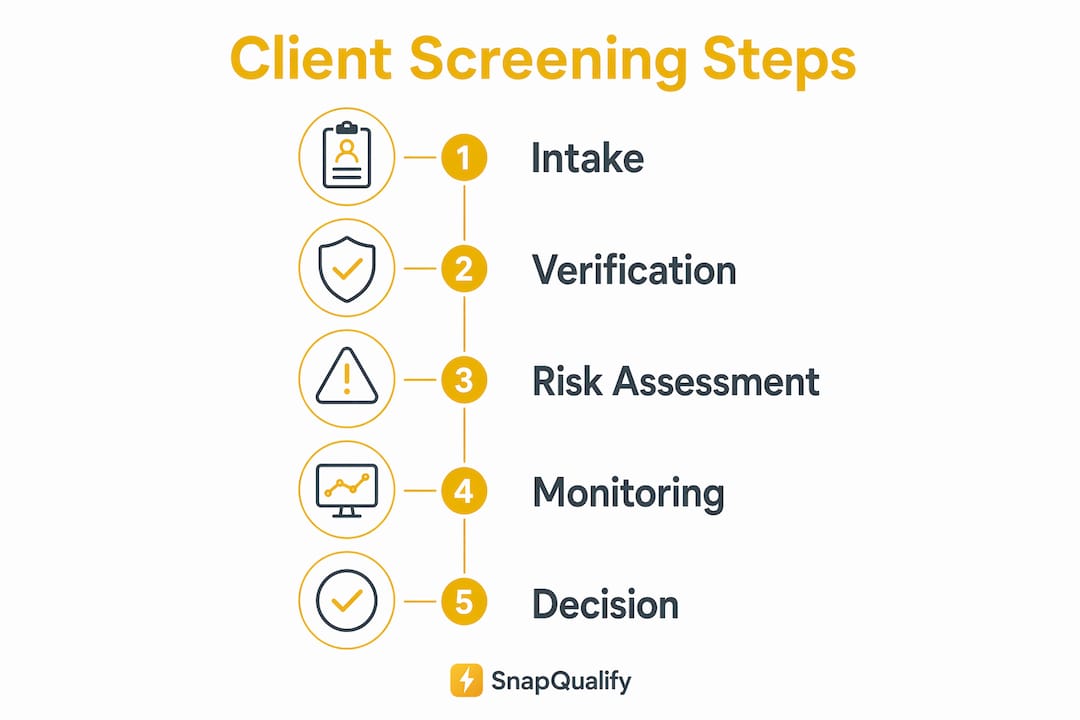
Client screening software follows a defined workflow. Each step builds on the last, and skipping one creates gaps that manual review cannot reliably fill.
- Data collection. The client submits personal or business details, including name, address, project scope, and budget, through an intake form or onboarding portal.
- Automated comparison. The software cross-references that data against over 320 global sanction lists and hundreds of millions of adverse media records through third-party database integrations. That coverage is what makes automated screening so much broader than a Google search.
- Flag triage. The system flags potential matches and routes them to a reviewer. Not every flag is a real risk, which is why triage matters.
- Risk scoring. A score or rating is assigned based on match severity and data quality. Risk scores must translate into explicit business decisions rather than remain abstract numbers.
- Audit trail documentation. Every check, flag, and decision gets logged automatically. This creates a defensible record if a project goes sideways or a dispute arises.
- Ongoing monitoring. The screening does not stop at onboarding. Modern software sends real-time alerts when a client's status changes on a watchlist or in adverse media, so your risk picture stays current.
Pro Tip: Set up automated re-screening triggers tied to contract milestones, not just the initial onboarding date. A client who was clean at signing may not be clean at the final payment stage.
Benefits and challenges of client screening for construction businesses

The clearest benefit of client vetting software is reduced exposure to bad actors. Fraudulent clients, chronic non-payers, and scope-creep specialists rarely announce themselves upfront. Automated screening surfaces signals you would otherwise miss. Automating manual client checks also improves operational efficiency and supports risk-based due diligence, which matters when your business reputation is on the line.
For construction and home services businesses specifically, the benefits include:
- Fewer problem projects. Screening filters out clients with a history of disputes, payment failures, or unrealistic budget expectations before you invest time in a quote.
- Subcontractor vetting. The same workflow applies when vetting clients and subcontractors together, reducing risk across your entire project team.
- Faster onboarding decisions. Automated checks return results in seconds, so you can respond to leads quickly without cutting corners on due diligence.
- Documented decisions. Every screening result is logged, giving you a paper trail if a client later disputes a contract term or payment schedule.
The main challenge is false positives. A client with a common name may trigger a flag that has nothing to do with them. Configurable matching logic is critical to escalate only meaningful alerts that require human judgment. Without tuning, alert fatigue sets in and reviewers start ignoring flags entirely, which defeats the purpose.
Pro Tip: Start with tighter match thresholds and loosen them gradually as you learn your client base. It is easier to relax a setting than to recover from a missed risk.
Key features to look for in client screening tools
Not all client screening tools are built the same. When evaluating options for your construction or home services business, focus on these core capabilities:
| Feature | Why it matters |
|---|---|
| Global sanctions and PEP database coverage | Broader coverage means fewer gaps; screening against 200 million+ records gives real-time confidence |
| Configurable match thresholds | Lets you tune sensitivity to your risk appetite and reduce false positives |
| Ongoing monitoring and real-time alerts | Client risk changes over time; static one-time checks leave you exposed |
| Eligibility screening | Tests whether a prospect fits your business model before deeper checks begin |
| Audit logging | Produces documented decisions for compliance review or dispute resolution |
| Workflow integration | Connects to your existing onboarding and qualification process without manual re-entry |
Eligibility screening deserves special attention. Skipping eligibility screening leads to wasted effort on clients who were never a realistic fit. For a roofing contractor, that means filtering out prospects whose budget cannot cover the project scope before running a full risk check. Snapqualify builds eligibility screening directly into its intake form, so the SnapScore reflects both fit and risk in one result.
How to implement client screening in your workflow
Adopting client screening software works best when you treat it as a process change, not just a software installation. These practices make the difference between a tool that sits unused and one that protects your business every day.
- Start with eligibility criteria. Define what a good client looks like for your business: minimum project budget, geographic area, project type. Build those criteria into your intake form before any risk screening runs.
- Assign clear ownership. Someone on your team needs to own alert review and resolution. Without clear escalation and resolution standards, organizations risk false comfort despite having software in place.
- Document every decision. Log why you accepted or declined a client, not just the screening result. That rationale protects you under audit or legal review.
- Build ongoing monitoring into your contract lifecycle. Re-screen clients at key milestones: deposit, mid-project, and final payment. Risk profiles change.
- Use screening for subcontractors too. The construction project vetting process applies to everyone on your project, not just the client writing the check.
The goal is a repeatable system. Once your criteria and escalation steps are defined, screening becomes a background process that flags problems without slowing down your sales pipeline.
Key Takeaways
Client screening software protects construction and home services businesses by automating risk detection, documenting decisions, and filtering out problem clients before any work begins.
| Point | Details |
|---|---|
| Core function | Automates verification against sanctions, PEP, and adverse media lists in real time |
| Speed advantage | Leading systems return results in under 500 milliseconds, enabling fast onboarding decisions |
| False positive management | Configurable match thresholds reduce alert fatigue and keep compliance teams focused |
| Eligibility screening first | Test project fit before running risk checks to avoid wasting time on poor-fit prospects |
| Ongoing monitoring | Re-screen clients at contract milestones because risk profiles change after initial onboarding |
Why I think most contractors are using screening backwards
Most contractors I talk to treat client screening as a final check before signing. They have already spent hours on a site visit, a detailed quote, and two rounds of scope revisions. Then they run a background check. That sequence is backwards.
The right order is eligibility first, risk second. Eligibility screening tests whether a prospect fits your business model before you invest any real time. If the budget is too low or the project type is outside your specialty, no amount of risk screening changes that. You save the detailed due diligence for clients who actually qualify.
The second mistake is treating a clean score as a green light. Risk scores must trigger specific responses, not just a thumbs up. A borderline score might mean you require a larger deposit, add milestone payments, or ask for a signed scope agreement before mobilizing. The score is a signal, not a decision.
Snapqualify's SnapScore is designed around this logic. It gives you a color-coded result that maps directly to a response, not just a number you have to interpret on your own. That is the difference between software that informs your judgment and software that replaces it with false confidence.
— Colin
How Snapqualify helps contractors qualify clients faster
Contractors who want to put client screening to work without building a compliance department from scratch have a practical option.
Snapqualify is built specifically for trade contractors and home services businesses. Its branded intake forms collect the project details, budget information, and client background data that matter most to your business. The AI-driven SnapScore then analyzes those responses and returns a color-coded risk and fit rating in seconds. You get a documented decision, an audit trail, and a clear signal on whether to move forward, all before your first site visit. Visit Snapqualify to see how the platform fits into your existing workflow and start qualifying clients with confidence.
FAQ
What is client screening software?
Client screening software automates the verification of potential clients by comparing their data against sanctions lists, PEP lists, and adverse media databases. It returns a risk rating that helps businesses decide whether to proceed with a client relationship.
How does client screening work for contractors?
A contractor sends a prospect an intake form, the software checks their responses against risk databases, and a score is generated. Snapqualify uses this process to produce a SnapScore that reflects both project fit and client risk.
What are the key features of client screening tools?
The most important features are global database coverage, configurable match thresholds, ongoing monitoring, eligibility screening, and audit logging. Together, these features reduce false positives and keep your risk process defensible.
Why is ongoing monitoring important in client screening?
Client risk profiles change during a project, not just at the start. Real-time alerts notify you when a client's status changes on a watchlist, so you are not relying on a one-time check that may already be outdated.
How do I reduce false positives in client screening software?
Adjust your match thresholds and risk weights to filter out low-confidence hits. Fine-tuning screening parameters is the standard method for maintaining operational efficiency without missing genuine risks.